Number 003
Proving Ground
A 3D destruction & building demolition physics sandbox with 106 objects, five arenas including Mega Proving Town, and 37 contracts.
A 3D destruction physics and building demolition sim game. Drop, launch, slice, or blow up 106 test objects across five arenas — including Mega Proving Town with 36 furnished, plumbed destructible buildings — using nine tools and 37 contracts.
Opens in this tab. 7.2 MB to load.
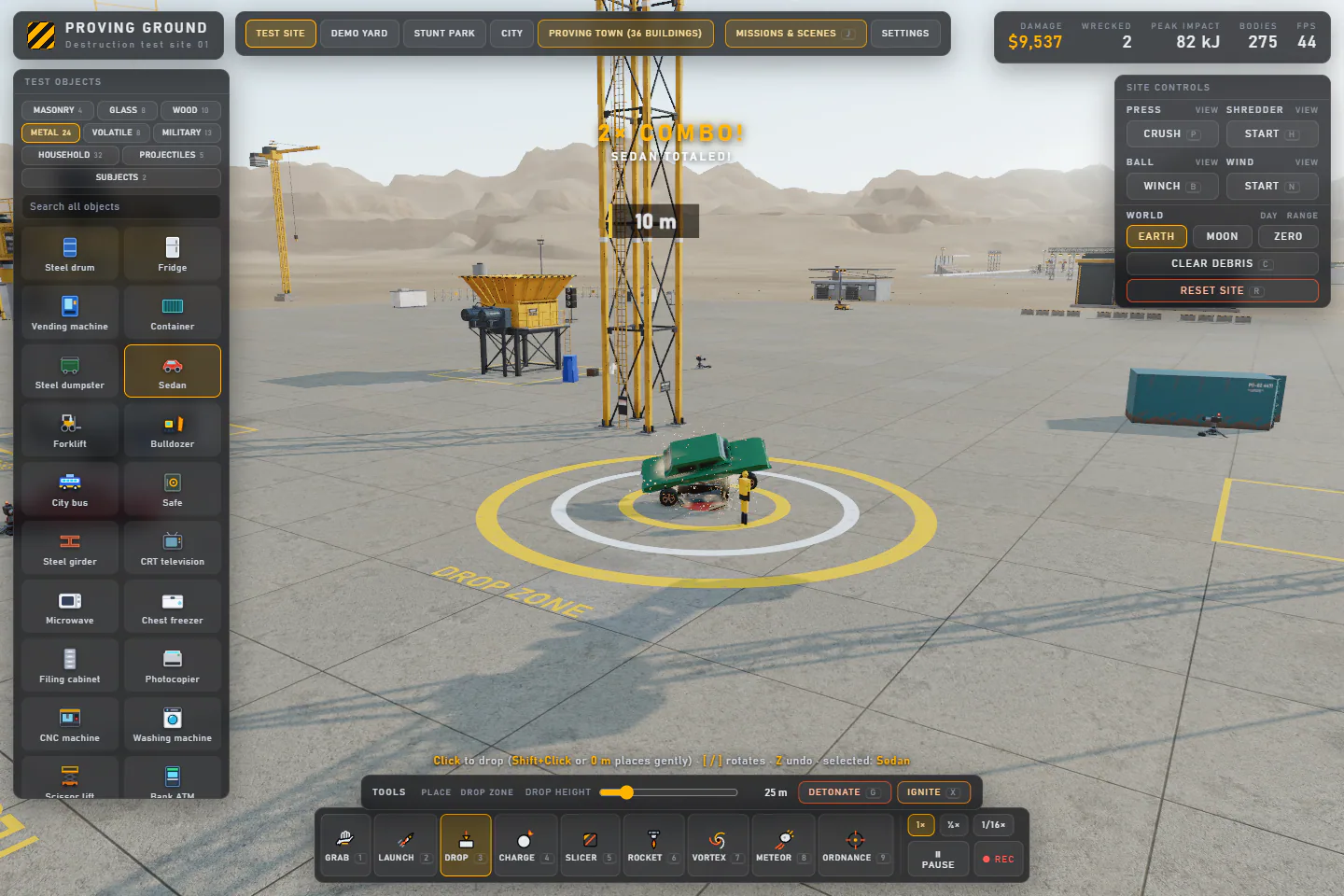
About
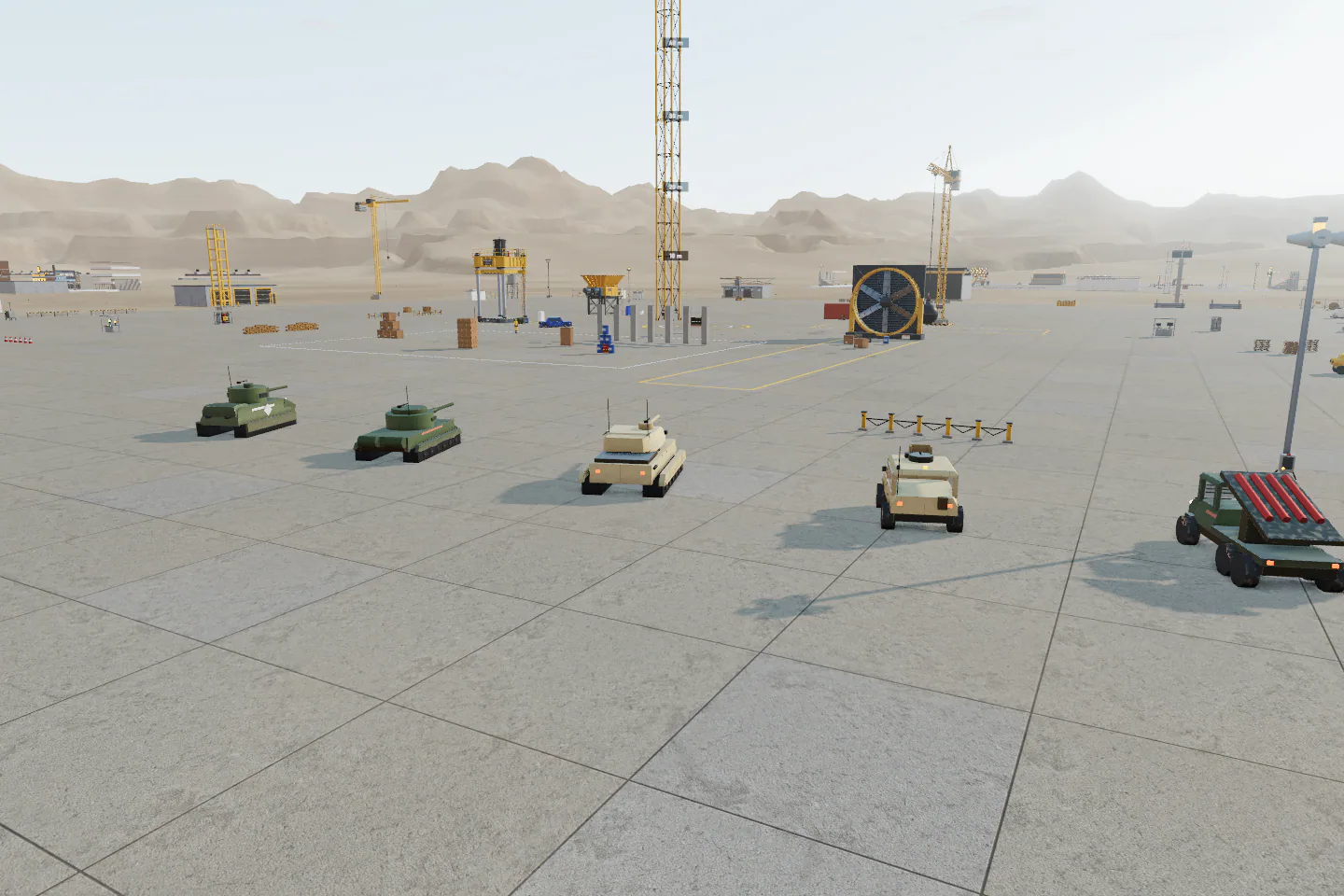
There are 71 test objects in eight groups. Examples include a concrete block, brick wall, glass panel, china cabinet, piano, arcade cabinet and office desk. Others include a bookshelf, fridge, vending machine, sedan, forklift, bulldozer and city bus. The Military group has tanks, a jeep, an armoured car, a rocket truck, a field gun, a radar truck and a concrete bunker. You can drop, gently place, launch, throw or cut an object. You can also blow it up, weld a thruster to it, spin it in a vortex or strike it with a meteor.
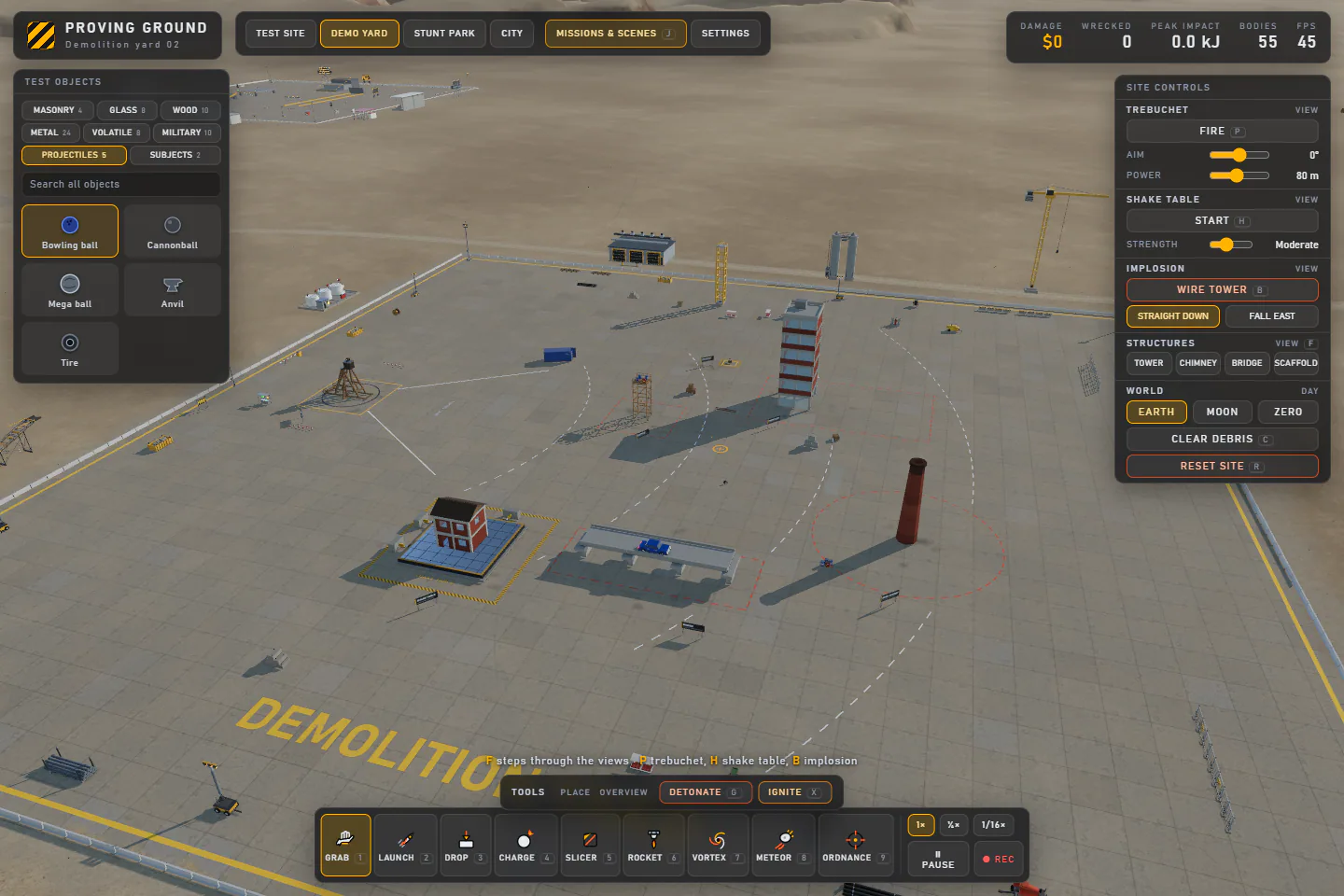
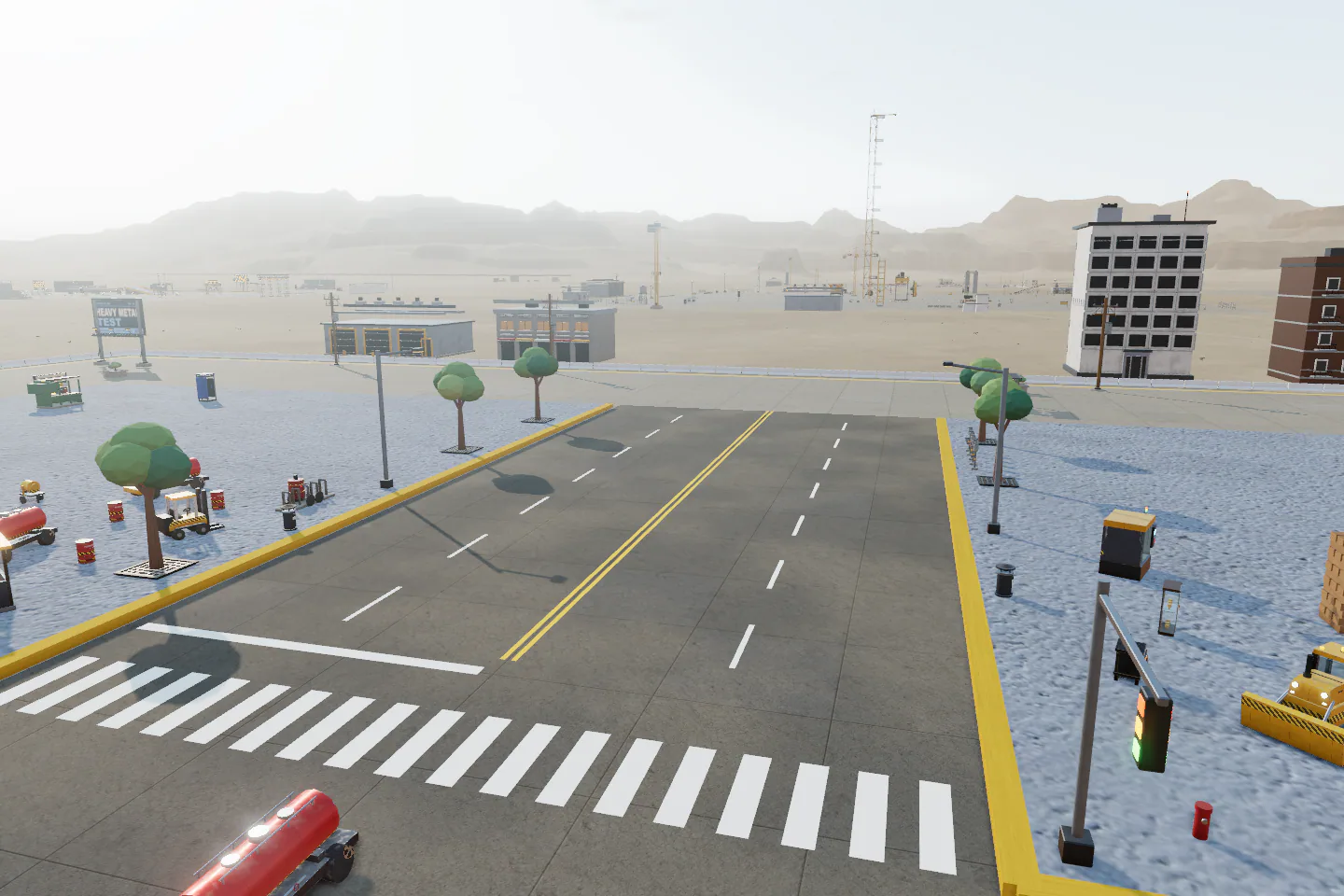
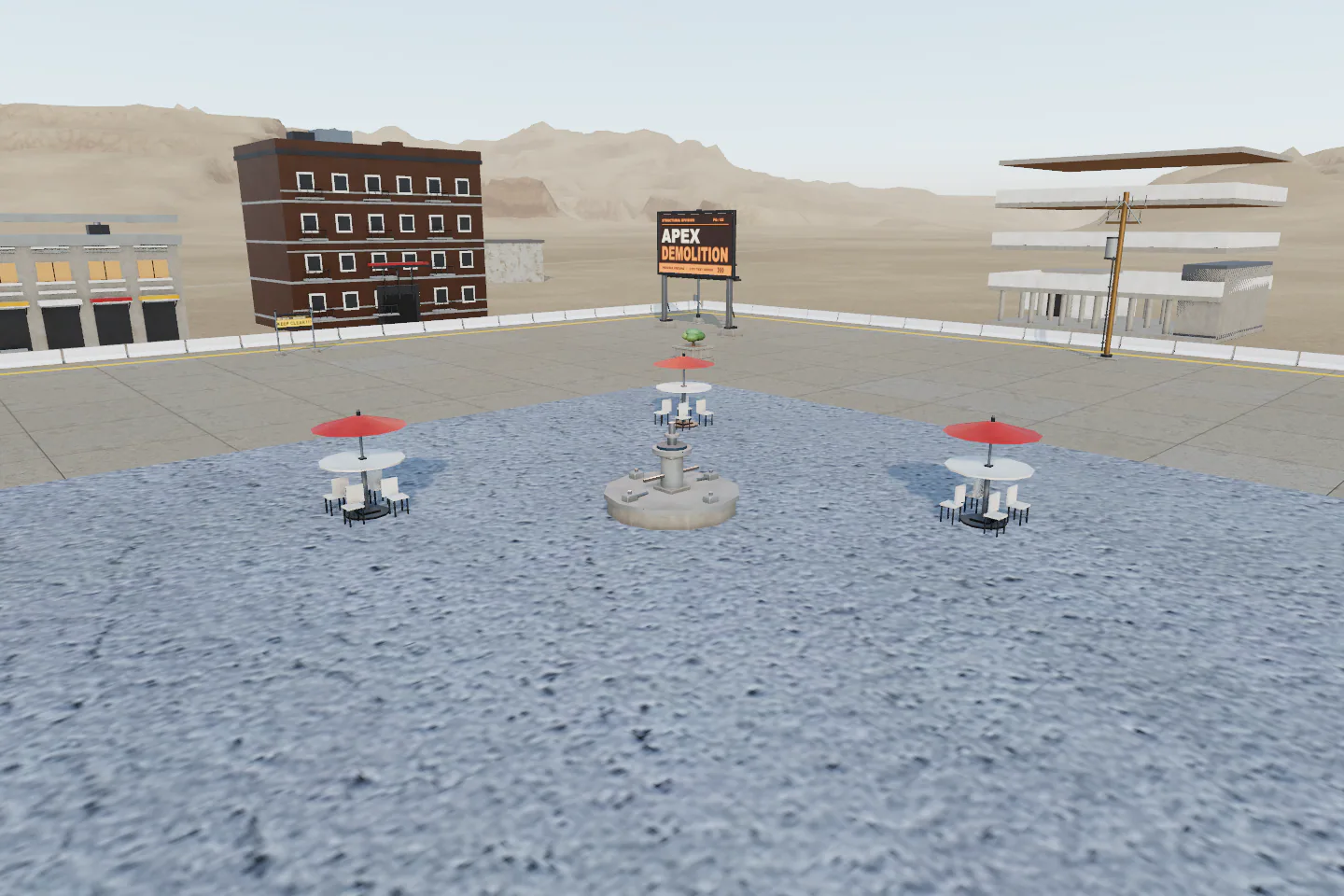
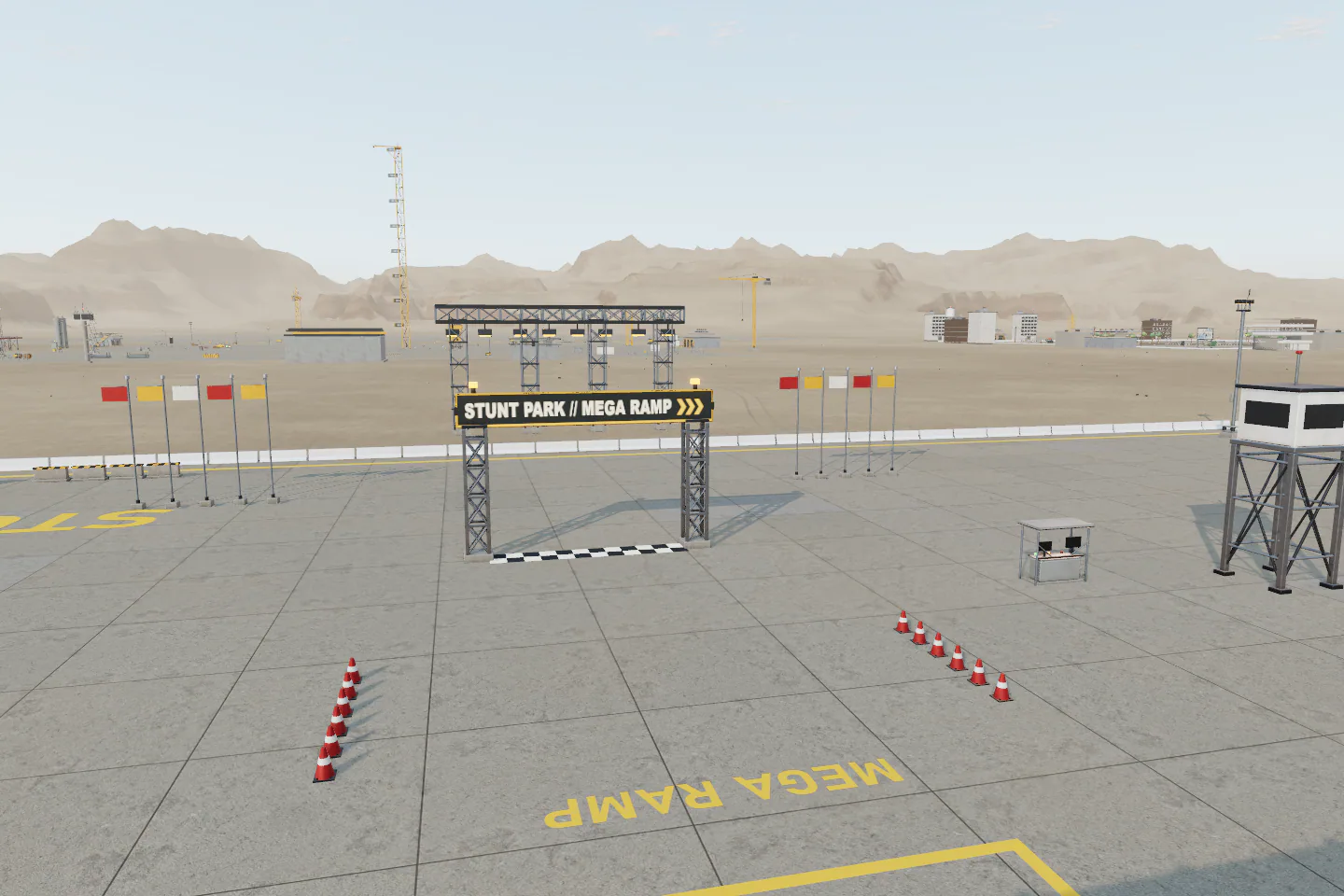
There are four arenas. Proving Ground has a hydraulic press, shredder, wrecking ball, wind tunnel and drop tower. Demolition Yard has a tower block, brick chimney, bridge, timber scaffold, a test house on a shake table, a trebuchet and an implosion sequencer. Stunt & Crash Park has a launch ramp with a 16 m gap, a giant bowling lane and three concrete tiers. Disaster City has a crossroads with raised sidewalk blocks and a highway overpass. It has buses, cars, fuel tankers, kiosks, a water tower and other breakable objects. The roads, sidewalks and overpass do not break. Each site is dressed with scenery, from lamp posts, fences and site cabins on the pads to shop rows, office blocks, cranes and grandstands outside the barriers. The scenery is solid but does not break; only the test objects and the yard’s structures break.
The Missions & Scenes panel opens with J or its button. It holds 28 ready-made scenes to load and play freely. There are 37 contracts, each a set task worth up to 3 stars, with 111 stars in all. There are also 3 build slots that save the objects you have placed and load them again.
Damage depends on the material. Concrete, brick, glass, wood and ceramic break into pieces. Sheet metal, as in the drums, appliances, server rack, dumpster or forklift, dents, crumples and tears. Solid metal such as the anvil, cash vault, CNC spindle, dozer blade or cannonball does not break. Fuel drums, gas cylinders, industrial boilers, diesel generators or fuel tankers explode when hit hard enough.
Facts
| Test objects | 106, including 32 household & plumbing props |
|---|---|
| Arenas | 5 (including 600 m Mega Proving Town with 36 buildings) |
| Scenes and contracts | 28 scenes, 37 contracts |
| Tools | 9, plus Look on phones and tablets |
| Speed | 1×, ¼×, 1/16×, and pause |
| Gravity | Earth, Moon or zero |
Screenshots
Select one to see it full size
How it plays
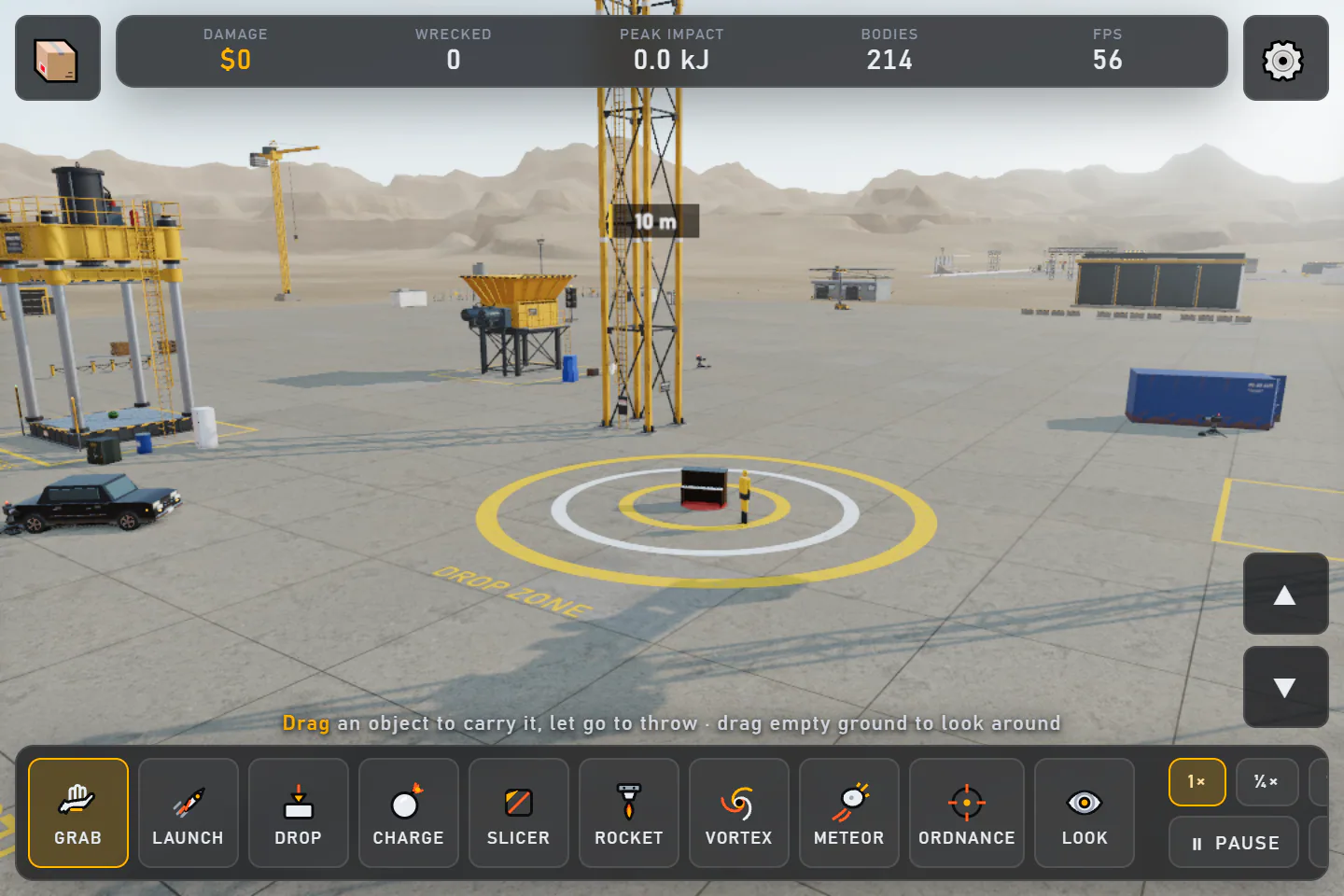
Pick an object from the Test objects list at the left, choose a tool from the bar along the bottom, then use the tool on the site. The bar along the top has a tab for each of the four sites and the buttons for Missions & Scenes and Settings. A strip above the tools shows the settings of the tool in use: the drop height for Drop, the launch speed for Launch, the charge size for Charge. The Site controls panel at the right lists the machines of the site you are on, each with a button, a key and a VIEW link that moves the camera to it; it also holds the gravity setting, Clear debris and Reset site. Sound and graphics are in Settings.
Tools
- Grab (1)
- Drag an object to carry it; let go while moving to throw it. The wheel pushes it away or pulls it closer.
- Launch (2)
- Hold to charge, release to fire the selected object from the camera, at up to the Launch max speed set in the panel.
- Drop (3)
- Click to drop the object from the set height, 0 to 150 m. At 0 m, or with Shift+click, it is set down gently. [ and ] turn it before placing.
- Charge (4)
- Click a surface to plant a charge of the size set in the panel; G sets them all off. A hard enough blow sets one off too.
- Slicer (5)
- Drag a line across objects to cut them along it. Solid parts, such as the anvil or a cannonball, are not cut.
- Rocket (6)
- Click an object to weld a thruster to it; Shift+click welds a stronger one. X fires all thrusters.
- Vortex (7)
- Hold to pull nearby objects into a spin. Release to throw them outward.
- Meteor (8)
- Click for one meteor strike. Hold for three.
- Ordnance (9)
- Fires the selected weapon at the point you click. Tab changes weapon. The five weapons are the tank cannon, homing missile, aerial bomb, howitzer and six-rocket salvo. The aerial bomb drops three bombs when held.
- Look
- Phones and tablets only: drag to look around.
At the Proving Ground
- Hydraulic press (P)
- Brings the ram down on whatever is on its bed, a watermelon to start with. Enough concrete, brick, wood or other breakable material ground up in one stroke comes back out as a pressed slab. Solid metal under the ram, or sheet metal pressed flat on the bed, stops it with a Press overload.
- Shredder (H)
- Two toothed rollers under a hopper tear up what falls in and drop the scraps below. Solid metal jams it: it runs backwards for a moment and throws the piece back up.
- Wrecking ball (B)
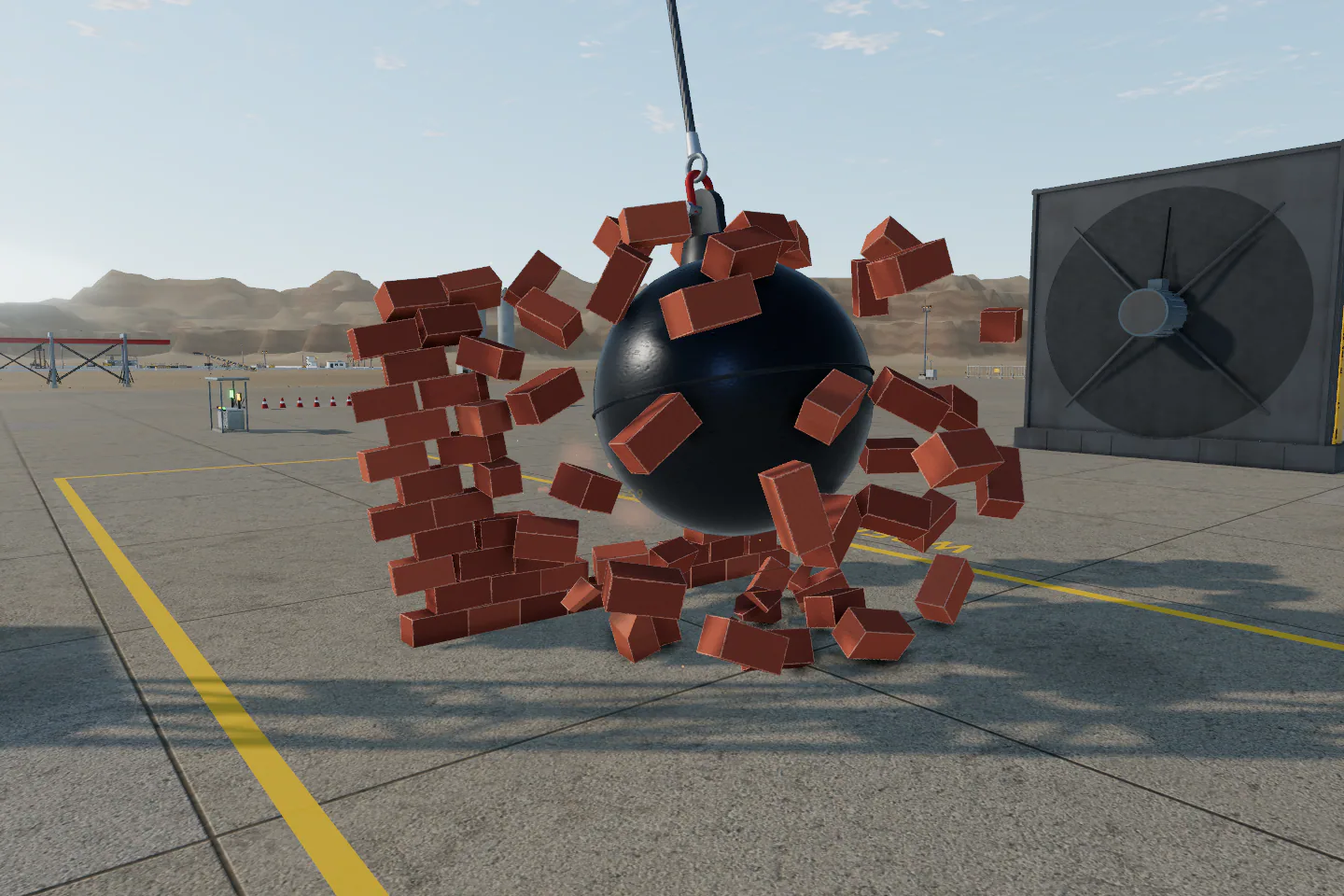
- Winches the ball back; B again lets it swing into a brick wall.
- Wind tunnel (N)
- A fan that blows whatever is in its lane along it.
In the Demolition Yard
- Trebuchet (P)
- Throws the selected object at the yellow marker; Aim and Power set the direction and the range. Objects too big for the sling are swapped for something that fits, and the game says so.
- Shake table (H)
- Shakes its deck and the test house on it like an earthquake for about 20 seconds, at Tremor, Moderate, Strong or Severe. Anything else put on the deck is shaken too.
- Implosion (B)
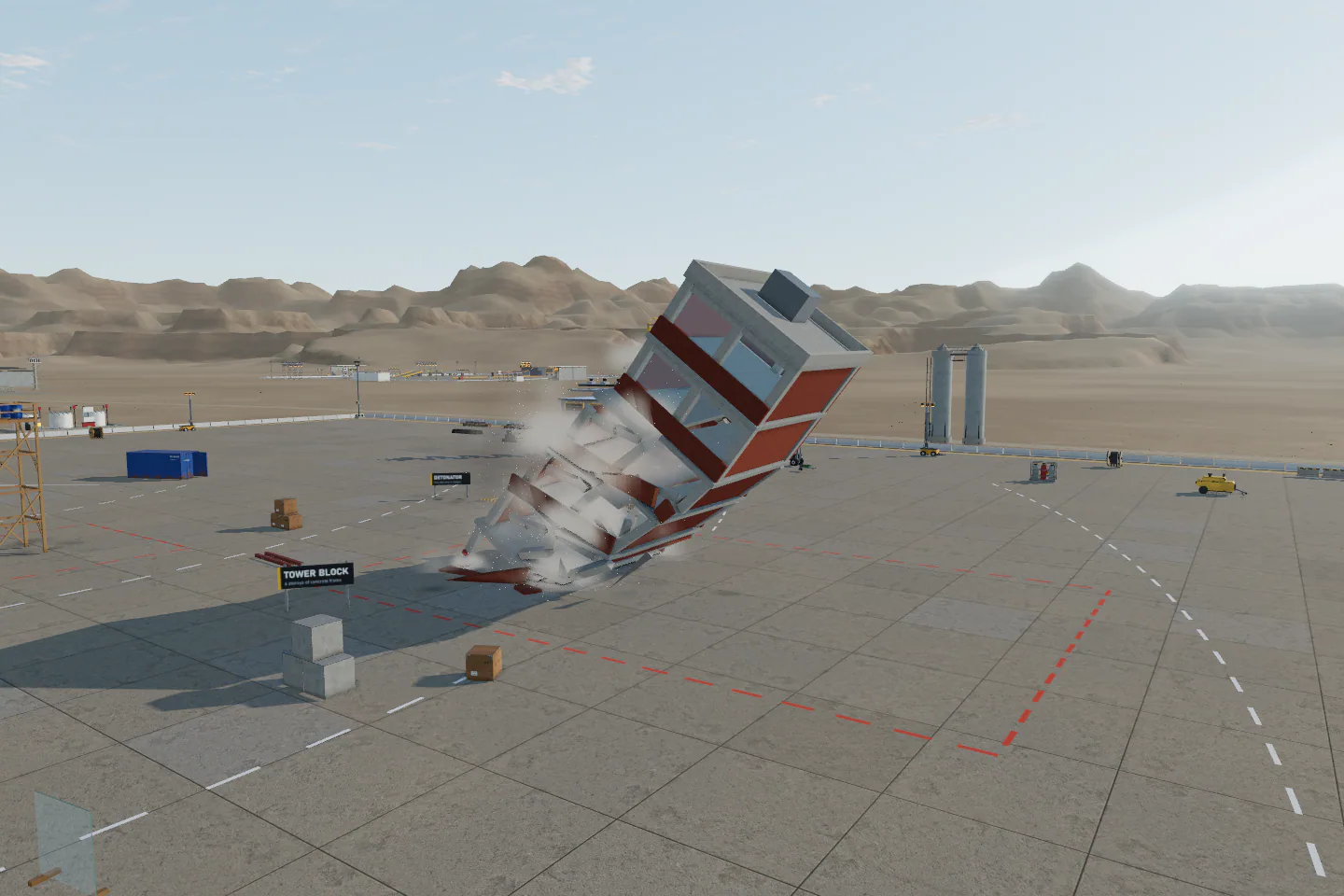
- Wire tower drills a charge into each of the tower block’s ground-floor columns; Fire starts a five-second countdown, during which the button reads Abort. Straight down drops the block into its own footprint; Fall east topples it to the east. Detonate (G) does not fire these charges.
- Structures
- One small charge at the foot of the chimney usually brings it down. Blow a bridge pier and its spans drop, or drop something heavy on a span. Knock out one leg of the scaffold and it tips over. Once its ground-floor columns go, the tower block comes down a story at a time.
In the Stunt & Crash Park
- Ramp car (P)
- Puts a car on the ramp.
- Lane ball (H)
- Puts a ball on the bowling lane.
- Rocket car (B)
- Puts a rocket car on the ramp; X fires it.
In Disaster City
- Rocket bus (P)
- Sends a rocket bus.
- Bulldozer (H)
- Sends a bulldozer.
- Meteor barrage (B)
- Starts a meteor barrage.
Missions & Scenes (J)
- Scenes
- There are 28 ready-made scenes to load and play freely.
- Contracts
- There are 37 contracts, each a set task worth up to 3 stars, with 111 stars in all. One asks you to bring down the chimney and the bridge with four charges or fewer.
- Build slots
- There are 3 build slots that save the objects you have placed and load them again.
The counters across the top show the damage in dollars, the number of objects wrecked, the peak impact energy and how many bodies are in the simulation. Clear debris (C) removes the small broken pieces and scraps, while whole objects and large lumps stay; Reset site (R twice) rebuilds the arena in use and sets the counters back to zero.
Controls
| Use the tool | Left mouse button; one finger on a touch screen. |
|---|---|
| Look around | Drag with the right mouse button. On a touch screen, drag empty ground with Grab, or use the Look tool. |
| Zoom | Mouse wheel; pinch on a touch screen. |
| Move | W A S D, with Shift for faster; Q and E down and up. On a touch screen, two fingers, and twist to turn. |
| Slow motion and pause | T for slow motion; Space pauses. |
| Camera | F for the next view, Shift+F for the one before. V turns the follow camera on and off; it follows the object you are holding, or else the last one you dropped or launched. |
| Switch arena | Y. |
| Missions & Scenes | J. |
| Detonate charges | G; Shift+G sets them off one after another. |
| Fire thrusters | X. |
| Lighting | L changes between Day, Sunset and Night. |
| Step one frame | . while paused. |
| Hide the controls | U. |
| Mute | M. |
| Record a clip | Rec, in the tool bar, saves a video of the 3D view with its sound. |
Notes
- Needs a browser with WebGL 2; without it, the start screen says so instead of starting.
- Built with three.js and the Rapier physics engine.
- The surface textures, the scorch and crack marks, the clouds and the start-screen picture were generated with the Grok image tool.
- The settings, the arena you used last, the stars you have earned, your best damage and chain, and your three saved builds are kept in this browser; nothing is sent anywhere.
- It runs on phones too; the game suggests landscape, or a tablet.
Questions
Is Proving Ground free to play?
Yes. It is free and runs in the browser, with nothing to install, no account to make and no adverts.
Is there a way to win?
Free play has nothing to win. The 37 contracts award up to 3 stars each, with 111 stars in all.
What can you break?
There are 71 test objects in eight groups. Examples include a concrete block, piano, sedan, forklift, fuel drum and watermelon.
What is in the four arenas?
Proving Ground has a hydraulic press, shredder, wrecking ball, wind tunnel and drop tower. Demolition Yard has a tower block, brick chimney, bridge, timber scaffold, a test house on a shake table, a trebuchet and an implosion sequencer. Stunt & Crash Park has a launch ramp, giant bowling lane and three concrete tiers, and Disaster City has a crossroads, highway overpass and breakable objects.
How does damage work?
It depends on the material. Concrete, brick, glass, wood and ceramic break into pieces; sheet metal dents, crumples and tears; solid metal such as the anvil and the cannonball does not break. The fuel drum and the gas cylinder explode when hit hard enough.
Can you break the scenery?
No. The lamp posts, buildings and other scenery around the sites are solid, so things thrown at them stop, but they do not break. The test objects and the Demolition Yard’s structures are what break.
Can you change time and gravity?
Yes. Slow motion runs at a quarter or a sixteenth of normal speed, and you can pause. Lighting can be Day, Sunset or Night, and gravity can be set to Earth, Moon or zero.
Does it work on a phone?
Yes. It runs on phones and tablets, with touch controls and a Look tool for looking around; the game suggests landscape, or a tablet. It needs a browser with WebGL 2.